Is there an ai baby dance filter?
There is no official TikTok filter that makes the ai baby dance video. The clips labelled as a filter are generated with an AI video model, and CapCut community templates usually need a video of your baby first. A generator that takes one still photo is the closest thing to one tap, and Baby Dance AI is built to be that.
App by app
| App | Filter or template? | What you get |
|---|---|---|
| TikTok | No official filter for it | The trend lives in normal posted videos and sounds, not in an effect you can apply. |
| None we know of | Reels reposts of the same clips. Instagram has no effect that makes the baby dance from a photo. | |
| CapCut | Community templates | Layouts that usually ask for a video of your baby, and edit it. They do not generate the dance. |
What people mean by "filter"
When people search for an ai baby dance filter, they usually want one of three things. Some want to turn their own baby photo into the dancing clip they saw. Some want to see themselves as a toddler, as in the adult version of the trend. Others have seen "Kling AI baby dance" in a caption and want the same look. All three are AI video, not a filter in the camera sense, and all three start from a photo and a reference dance.
How Baby Dance AI works as a filter
You upload one still photo, pick a dance and tap generate. Baby Dance AI uses Seedance 2.0 / 2.5 by ByteDance to build a new 10 to 15 second MP4. The outfit, the scene, the movement and the sound come from the dance, and the face comes from your photo. You do not need a video, so a baby who never danced can still do the Original sway. If you want to understand the method, read about the prompt that is built in, or follow the steps in how to make the video.
Searching for one in the apps
If you still want to check for yourself, search the effects gallery in TikTok or Instagram for "baby" and "AI baby". You will mostly find age filters, cartoon looks and baby-face swaps, which change a live camera or a clip you already have. None of these builds a dancing toddler from a single photo, and none carries the sound of the dance. Check the creator and the date before you trust a "filter" link in a caption: it is often just a repost of a generated video, or a link to a site like this one.
Why a real filter cannot do this
A camera filter works on pixels that already exist: it adds ears, smooths skin or swaps a background. The AI baby dance needs a body that was never filmed, doing a routine that nobody performed, in clothes that are not in the photo. Only a video model can invent that. This is also why the results have limits: faces can drift a little on fast moves, and a blurry photo gives a blurry baby. A sharp, front-facing photo helps most. Failed or blocked renders return their credits, and there is no free tier.
What it costs and what you get
Baby Dance AI is a paid tool with no free tier, because each render uses real video processing. You pay in credits, which never expire, and a failed or blocked render returns its credits. The result is an MP4 of 10 to 15 seconds, depending on the dance, with the dance's sound already in it, so it is ready to post to TikTok, Reels or Shorts. Uploads are for people aged 18 or older, and a parent or guardian may use a photo of their own child. For prices, see the pricing page.
The dances you can pick
There are 17 dances in total. These are the main ones, and the trend page has the full timeline.
| Dance | What it looks like |
|---|---|
| Original AI Baby Dance | Hands on hips, a happy sway on a glitter stage. |
| Baby Boo | A bouncy routine with arm waves and a spin. |
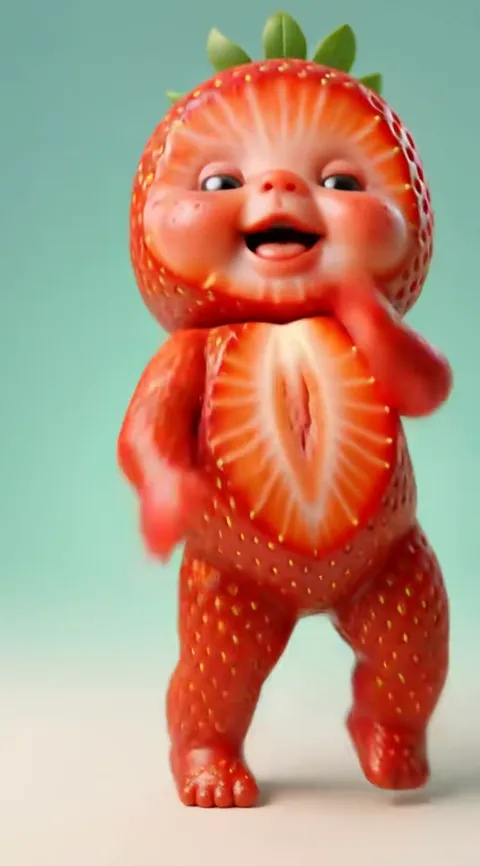
| Fruit Baby | A strawberry suit and a Brazil bounce. |
| Tiki Tiki | Black-and-white phonk shimmy. |
| Toc Toc | Hop, knock on an invisible door, kick. |