How does an AI dance generator make you dance from one photo?
An AI dance generator from a photo takes one picture of you and returns a short video of you doing a dance you never filmed. Baby Dance AI offers it in three forms: Dance as Yourself, the baby dances where you appear as a toddler, and Your Own Dance, where you upload the routine. Each gives a 10 to 15 second MP4 with sound; a standard render costs 10 credits.
Three ways to dance
| Option | You upload | You become | Dance from |
|---|---|---|---|
| Dance as Yourself | A photo (adult) | Yourself, same age and outfit | Toc Toc routine |
| Any baby dance | A photo (adult or baby) | Your toddler self | The dance you pick |
| Your Own Dance | A photo and a clip | You or a toddler | Your clip |
Dance as Yourself
This is the grown-up template. Your face, age and outfit stay exactly as in the photo, and you do the Toc Toc routine: a hop, three knocks on an invisible door, a kick and arms wide, in a bright plain room. A full-body photo gives the cleanest feet and kick, and since the outfit is copied, wear what you want to see. Only adults can use it. Read more on the Dance as Yourself page or watch the baby version of Toc Toc to compare.
Or as a baby
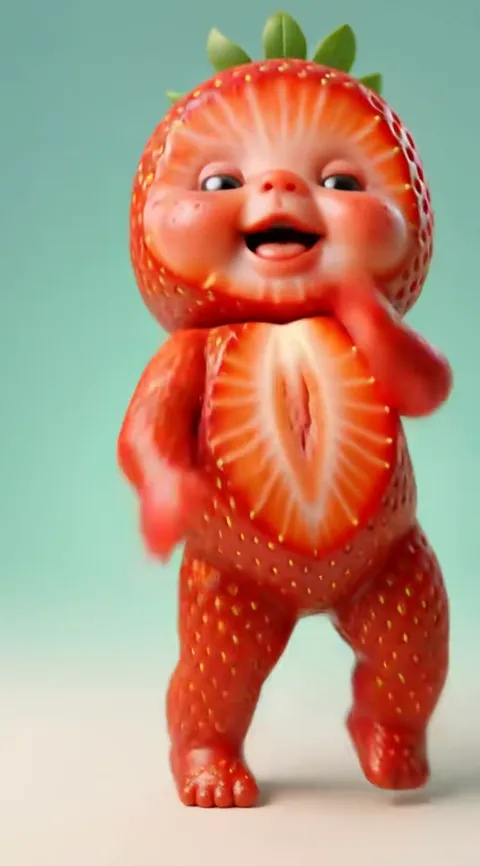
Every other dance in Baby Dance AI turns the adult in your photo into a toddler, then makes that toddler dance. The choice is mostly about mood: the original glitter-stage sway is sweet, Thank You Baby and Supalonely Baby are cheekier. If you are curious about the effect itself, the baby filter page explains it.
Your Own Dance
If the dance you want is not a template, upload a short clip of it. The rules are strict because they decide the result:
- 4 to 15 seconds long.
- One dancer, whole body in view.
- A steady camera, no cuts.
- MP4 or MOV, up to 60 MB.
The person or toddler from your photo copies the moves and timing, and your clip's sound goes under the result. You may only upload clips you have the right to use, such as your own recording, and all users must be 18 or older. Every option is a one-tap result, so there is nothing to write or edit. For prices see the pricing page, and for the full model comparison the generator page. New to the trend? Start with what it is.
Which one to pick
Choose Dance as Yourself when the video is about you: a greeting, a joke for friends, a profile clip where you want to look like yourself. Choose a baby dance when the surprise is the point, such as a birthday or a couple's video. Choose Your Own Dance when you already know the routine you want and have a clean clip of it. In all three, the photo does the most work. Use a sharp, well-lit picture where you face the camera, and a full-body shot if feet and legs matter in the routine. Results vary, so a second try with a better photo is normal.