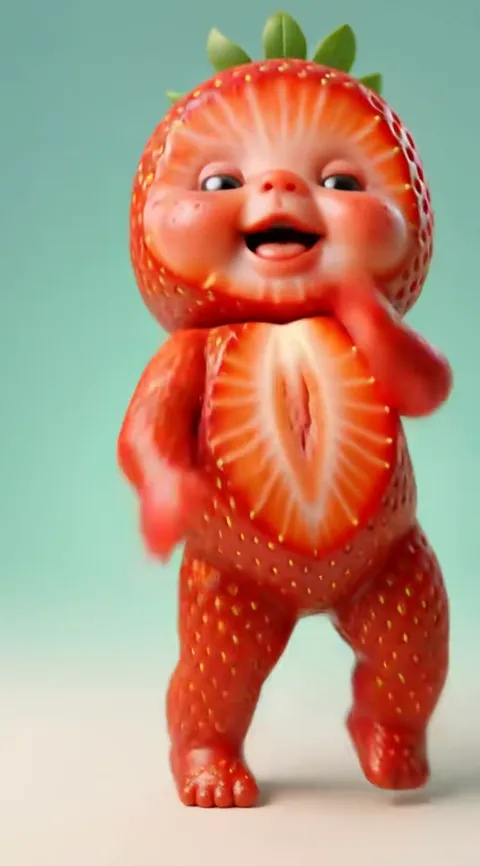
What is a baby dance AI video, and what do you get?
A baby dance AI video is a short MP4, 10 to 15 seconds long, in which a baby or toddler from your photo performs a viral dance with its original sound. Baby Dance AI makes it from one still photo: the dance, the outfit and the stage come from the template, so nobody has to film anything. Start with a photo above.
What you get
The result is one finished file. The baby looks like the child in your photo (or like an adult in the photo, shown as their own toddler self), moves like the dancer in the original routine, and the track you know from the trend plays underneath. Nothing is stamped on top: paid videos carry no watermark, and the file is yours to post.
It is a video, not an animated photo. Arms, legs, head and face all move, and the camera stays in the framing the dance expects. That is the difference from a slideshow or a wiggle effect, and the reason a render takes minutes rather than seconds.
Length, formats and resolution
Length is set by the dance, not by you: every Baby Dance AI video lasts 10 to 15 seconds. Before you press generate you choose a shape and a resolution.
| Setting | Options | Good for |
|---|---|---|
| 9:16 (tall) | 480p, 720p, 1080p | TikTok, Reels, Shorts, phone wallpapers |
| 1:1 (square) | 480p, 720p, 1080p | Feed posts, family group chats |
| 16:9 (wide) | 480p, 720p, 1080p | TV, slideshows, YouTube |
Not every model offers every resolution. Standard renders 480p, 720p; Fast renders 480p, 720p; Pro renders 480p, 720p, 1080p; Ultra renders 480p, 720p, 1080p. The default is Standard at 720p, which costs 10 credits and is enough for a phone screen. A full price list is on the pricing page, and the generator page compares the tiers.
Which dances
Each dance is a template with its own motion, sound and scene. The most requested are the original glitter-stage sway, Baby Boo, the strawberry Fruit Baby and Toc Toc. There are also seasonal ones (Halloween, Christmas, beach), a pair dance for two photos, and a template that copies any short clip you upload. See them all on the dances page.
The dance changes the mood of the video far more than the settings do, so pick it first and the size second.
How long it takes
A render usually takes about three to four minutes. You can leave the page open or come back; the file appears in your account when it is ready. If a render fails or is blocked, the credits return automatically. Credits come from packs that start at $6.99 and never expire, so a failed try does not cost you a second purchase.
Finished files stay downloadable for one day, so save the MP4 to your phone as soon as you see it. If you are new to the whole trend, the trend page explains where it came from, and the filter page covers why no app filter does this.
Before you generate
Three small choices decide how the video feels. First, the photo: a sharp, front-facing picture with even light gives the closest likeness, and a baby photo works best when the face fills a good part of the frame. Second, the shape: pick 9:16 if the video is headed for a phone, and 16:9 only if it will play on a screen across the room. Third, the resolution: 720p is enough for most posts, while 1080p is worth the extra credits for a video you want to keep or show on a television. Parents may upload a photo of their own child; every user must be 18 or older.