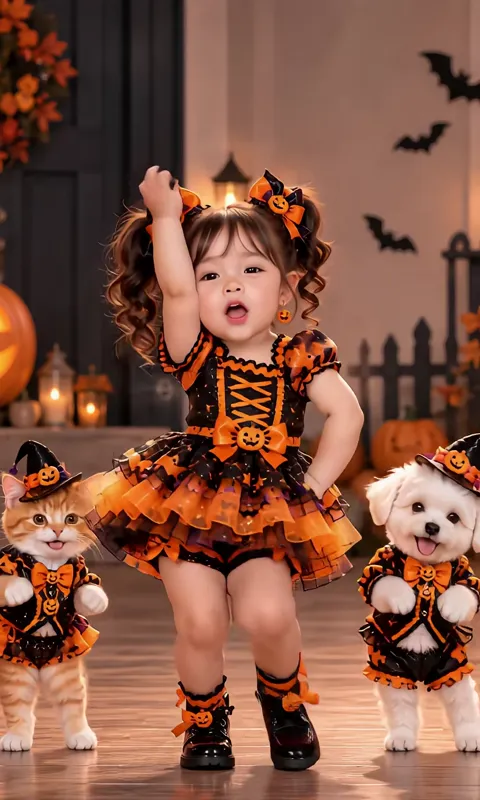
For October: the baby from your photo in an orange and black pumpkin tutu, dancing on a porch full of carved pumpkins and candles. The moves are cute rather than scary (arm waves, a twirl, a little hop), so it suits a family post or a Halloween card.
Tips for the halloween baby
Any outfit in the photo is replaced by the costume.
Warm candlelight is part of the scene, so a neutral daylight photo blends best.
Post before 31 October: Halloween clips get most of their views in the last week.
What is already set for you
The subject: an orange and black Halloween party dress with a puffy tulle skirt, a small orange bow in the hair, black boots.
The scene: a candlelit Halloween porch at dusk with carved pumpkins, paper bats and warm string lights.
The timing: Every dance copies its viral clip move for move: the video starts on the first beat and ends on the final pose, 10 to 15 seconds long.
How do I make the ai baby dance video with the Halloween Baby dance?
On Baby Dance AI, upload one photo, select the Halloween Baby dance and generate the ai baby dance video. It is set in a candlelit Halloween porch at dusk with carved pumpkins, paper bats and warm string lights.
What does the halloween baby look like?
On Baby Dance AI, the halloween baby is an orange and black Halloween party dress with a puffy tulle skirt, a small orange bow in the hair, black boots. It is a generic design with no brand marks.
Can I make a Halloween baby dance video for free?
Baby Dance AI has no free tier: a Halloween baby dance video costs 10 credits at the default setting, and credit packs start at $6.99 for 10 credits. Credits never expire, so leftovers work for the Christmas template in December.