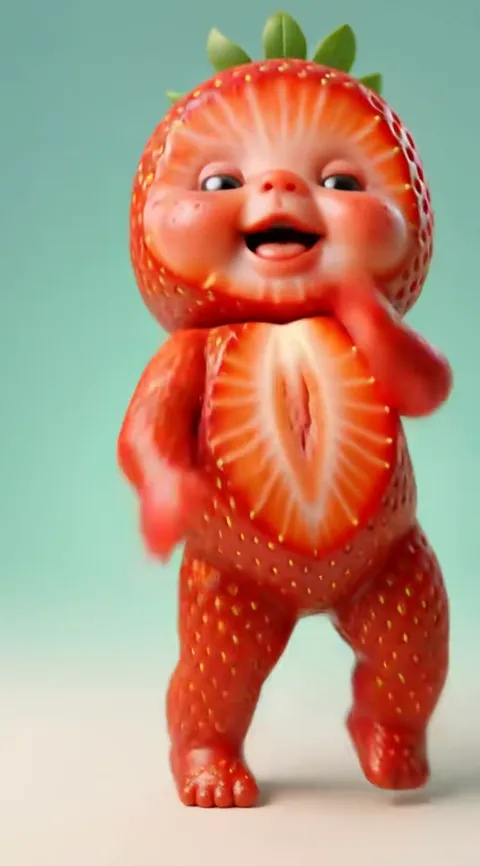
Baby Dance AI turns a photo of an adult into a dancing toddler by keeping the features that make you recognisable (face shape, eye colour, hair colour and skin tone) and inventing everything a photo cannot tell it, such as baby cheeks, a toddler's proportions, the outfit and the room. The result is a 10 to 15 second MP4 with the dance's original sound. The likeness is a resemblance, not a portrait, and knowing which parts are kept and which are guessed helps you choose a photo that gets closer to you.
Key takeaways
- The model keeps the broad, stable features of your face: shape, eye colour, hair colour and skin tone. It guesses the age change, the body, the clothes and the background.
- A sharp, front-facing, evenly lit photo is the single biggest lever on how much the baby looks like you.
- Couples and friends can use the Twin Babies template with two photos, and birthdays suit I Celebrate Me.
- Small details such as freckles, a chipped tooth or a particular hairline can drift. If a render fails or is blocked, Baby Dance AI returns the credits automatically.
What the AI keeps from your photo
When you upload a photo to Baby Dance AI and pick a dance, the video model (Seedance 2.0 or 2.5, made by ByteDance, depending on the tier you choose) reads the photo as a reference for who the character is. It does not copy pixels. It builds a new, younger person who shares the traits it can read most reliably.
Four traits carry most of the resemblance:
- Face shape. A long face tends to stay a longer toddler face, a round face stays round. The jaw and the width of the forehead usually survive the age change in softened form.
- Eye colour and eye shape. Eyes are the first thing people check. Colour is very stable, and the general shape (wide set, almond, deep set) usually carries over.
- Hair colour and general style. Dark hair stays dark and red hair stays red. Curly hair usually stays curly, though the length is reduced and fitted to a toddler.
- Skin tone. The overall tone is carried across, which matters more than people expect: a baby who looks right in shape but wrong in tone does not read as you.
These four are what Baby Dance AI promises in its own FAQ, and they are what you should judge a result by. If the baby has your eyes, your hair colour and the general outline of your face, the tool has done what it says. If a freckle pattern or a tiny scar is missing, that is a limit of the technology, not a faulty render.
What the AI guesses
Everything outside those four traits is a guess, and it helps to know where the guessing happens so that you are not surprised.
The age change
A photo shows you at your current age. The model has no photo of you as a toddler, so it works from what toddlers of your apparent build and colouring generally look like. It rounds the cheeks, shortens the nose, enlarges the forehead relative to the face and softens the chin. Two adults with similar colouring can end up with similar babies, which is why a result can feel "like you" rather than "exactly you".
The body
Even a full-body photo does not tell the model how a toddler's body moves. The body is generated from the dance template: toddler proportions, a toddler's wobble, a toddler's balance. That is also why the dances look natural. The body is built for the moves, not copied from your frame.
The outfit and the scene
Each dance on Baby Dance AI has its own costume and set built in. The Original AI Baby Dance uses a black party outfit on a glitter stage, Baby Boo uses a knitted romper under a spotlight, and Halloween Baby uses a pumpkin tutu on a candlelit porch. Whatever you wore in the photo is replaced by the costume. That is a feature: it means a photo taken in a work shirt gives a baby in a party outfit.
Why an adult becomes a chubby toddler, not a teenager
People sometimes expect a "younger me" and get a very young child. The dances are made for toddlers, so an adult photo is rendered as a toddler self, the age at which the dance trend looks right. If you want to appear as yourself, with no baby filter at all, Dance as Yourself keeps your real age, face and outfit and only adds the Toc Toc routine. It only accepts adults.
This also explains why results look different from the "age progression" or "age regression" filters you may have used in photo apps. Those edit a still image. Baby Dance AI generates a moving video of a new toddler who shares your traits, so it has to invent a whole body, a pose and a camera, not just retouch your face.
Photo tips that change the result
You do not write a prompt on Baby Dance AI, because each dance already carries its own. What you control is the photo, and that is plenty.
- Face the camera. A front-facing photo gives the model the most reliable view of both eyes, the nose and the jaw. A three-quarter turn is fine, a profile is risky because the far eye and cheek must be guessed.
- Use soft, even light. Window light on a cloudy day is ideal. Hard shadows across the face can be read as part of the face and show up as odd shading on the baby.
- Pick sharp over big. A modest photo that is in focus beats a huge photo that is blurry. Motion blur is the most common reason a likeness comes out weak.
- Keep the face clear. Sunglasses, a hand across the mouth, a large hat or a mask hide the traits the model needs. The Cool Baby template already adds its own sunglasses, so you do not need them in your photo.
- Show more than the face when you can. For dances with big leg movements, a photo that includes your whole body helps the model understand your frame. For close-up dances, a clear head and shoulders is enough.
- Use one person per photo. If two faces are in the frame, the tool may blend them.
- Skip heavy filters. A beauty filter that smooths skin and enlarges eyes changes the very traits the model reads.
The photo is the information the model starts from, and the better the input, the more of you comes through.
Couples, friends and Twin Babies
The most shared way to use this is with another person. The Twin Babies template takes two photos, one for each baby. The pair appears in matching grey sleepsuits in a black and white studio, facing each other, copying each other's moves and ending in a hug.
It works for real twins and siblings, for a couple who want to see themselves as babies, and for two friends. Each photo gives one face. Because the photos do not need to be taken together, you can use a picture of you from one trip and a picture of your partner from another.
A few notes from how the template behaves:
- Similar lighting helps. If one photo is warm indoor light and the other is cold daylight, the two babies may look like they come from different families. Choose two photos with similar light and you get a more convincing pair.
- Keep the faces similar in size. If one photo is a tight close-up and the other is a full-length shot, the model has more information about one person than the other. Matching crops give balanced likenesses.
- Expect two separate resemblances. The babies are not blended into a mix of the two of you. Each baby keeps the traits of its own photo. If the two babies look alike, it is because they share the template's outfit, set and toddler proportions.
Two babies also add a risk that one does not have: in fast moves, the faces can occasionally swap traits. Our troubleshooting guide, 9 AI Baby Dance Fails and How to Fix Them, covers what to do if that happens.
Birthdays and I Celebrate Me
Birthdays are the other big use. The I Celebrate Me template shows a toddler on a sunny lawn at golden hour, who grins, holds their head, shrugs, spins and points at the camera like a superstar. Rendering the birthday person as a toddler turns it into a small surprise for the group chat.
Some ways people use it, based on how the template is built:
- A video for the birthday person. Render them as a toddler, then send it as a message. Because the energy of the dance is celebratory, it reads as affectionate rather than mocking.
- A surprise for a partner. Use their photo, not yours. The result is usually funnier when the person has not seen their own toddler version before.
Pick a photo with an open smile if you can. The template's mood is joyful, and a matching expression in the source photo gives the model less to reconcile.
If the birthday person is a child, only a parent or legal guardian may upload their photo, and only the parent's own child. The same rule applies to every upload on Baby Dance AI: you must be 18 or older to use the site, you may not upload other people's children, nude or bathing photos, or celebrities.
Pets and other special cases
A pet is not an adult turned into a toddler, so it gets its own template. Pet Dance takes one photo of a dog or cat and stands it on its hind legs for the left-right routine. The keep and guess split is similar: fur colour, markings, ears and face are kept, while the posture is invented. The AI pet dance page has more.
For an adult who wants a dance without the baby, there is Dance as Yourself. For any dance that is not yet a template, the Your Own Dance Video option lets you upload a short clip with one dancer and has the baby copy the moves.
Honest limits
A realistic expectation avoids disappointment and wasted credits.
- It is a resemblance. Friends who know you well will usually say "that is you as a baby", but the video is a plausible toddler, not a lost photograph of you at two.
- Small details drift. Freckles, moles, scars, tattoos, facial hair, dental details and a precise hairline are the first things to change.
- Fast moves are harder. Spins and quick head turns give the model more chances to lose a trait than a slow sway does.
- Not every attempt is equal. If the first result is not close, a re-render or a different dance is a reasonable next step.
- The Pro model can help. The higher tiers use more capable models, which tend to hold a face more steadily, at a higher credit cost per video.
Credits never expire, there is no free tier, and failed or blocked renders return their credits automatically. Credit packs are not refundable, so it is worth getting the photo right before you generate. The pricing page lists what each model and resolution costs.
What the finished video gives you
A finished render is a 10 to 15 second MP4 in 9:16, 1:1 or 16:9, with the dance's original sound and no watermark on paid videos. Finished files stay available to download for about a day, so save the file when it is ready. Uploaded photos are deleted from our side within 24 hours and are not used for training.
If you want to share it, Posting Your AI Baby Dance on TikTok, Reels and Shorts explains the formats, the sound and how to label AI content. If you want a plain overview of the whole trend first, start with what the AI baby dance trend is.
Try it with the right photo
Pick one sharp, front-facing photo, choose the dance that fits the moment, and check the baby against the four traits that matter: face shape, eyes, hair colour and skin tone. If those are right, the render did its job. You can start from the generator.
Frequently asked questions
Can AI turn me into a baby from one photo?
Yes. Baby Dance AI renders an adult photo as that person's toddler self, keeping face shape, eye colour, hair colour and skin tone, then makes the toddler dance in a 10 to 15 second MP4. Details such as freckles or a hairline may drift, and the body, outfit and scene come from the dance template, not from your photo.
What does the AI keep and what does it guess?
Baby Dance AI keeps your face shape, eye colour, hair colour and skin tone. It guesses the toddler proportions, baby cheeks, expression, outfit and background, because a photo of an adult cannot show them. Small features such as moles, scars and facial hair are the most likely to change or disappear in the video.
Which photo gives the best baby version of me?
A sharp, front-facing photo in soft, even light gives Baby Dance AI the clearest view of your eyes, nose and jaw. Avoid sunglasses, masks, heavy filters and group shots. A photo of your whole body helps for dances with big leg moves, while a clear head and shoulders works for close-up dances.
Can a couple make the baby dance together?
Yes. The Twin Babies template on Baby Dance AI takes two photos, one per person, and shows both as toddlers in matching grey sleepsuits who dance side by side and hug. The photos do not need to be taken together, but similar lighting in both makes the pair look more convincing.
Is the baby version an exact copy of my childhood face?
No. Baby Dance AI builds a plausible toddler who shares your face shape, eyes, hair colour and skin tone. It has never seen your childhood photos, so it cannot reproduce how you actually looked. Friends often say it feels like you, but treat it as a resemblance made for fun, not a record.